









Darshan features

Darshan features: streaming, simulcast, scheduling and virtual darshan

The complete list of what Darshan does today, from the temple camera to the devotee’s virtual aarti. Everything on this page is live.

In short

Darshan streams a temple’s CCTV or NVR cameras live, round the clock or on a schedule, to the temple’s own page, YouTube, Facebook and any RTMP address. It adds looped bhajan (devotional song) audio and the temple logo, recovers dropped streams automatically and records to cloud storage. Its virtual darshan page lets devotees offer aarti, light a diya, offer flowers, ring the bell and blow the conch online, earning punya points. Darshan streams only; darshan tickets are sold in Netra.

Module by module

Everything in Darshan

Jump to a module. All of them run in the browser at darshan.swadharmasetu.com.

On this page
  1. Camera streaming
  2. Simulcast
  3. Scheduled broadcasts
  4. Bhajan audio & overlays
  5. Recordings
  6. Viewer analytics
  7. Virtual darshan
  8. Team & roles
  9. Plans & billing

Camera streaming

The temple’s existing CCTV or NVR cameras, live in any browser, with no streaming PC at the temple.

Up to 10 cameras

Per temple, depending on plan: 1, 3, 5 or 10 cameras.

Cloud transcoding

Feeds are transcoded in the cloud so devotees can watch in a phone or laptop browser.

360p to 4K

Choose the stream quality that suits the camera and your connection.

Camera preview

Check a camera’s picture before publishing it.

Health checks and auto-recovery

Streams are monitored; a dropped feed is restarted automatically.

Resume after restart

Streams come back on their own after a restart, without anyone at the temple pressing a button.
Simulcast

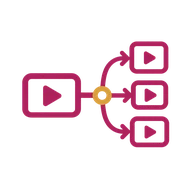
One camera, every place devotees watch — at the same time.

Temple live page

Each temple has its own live page and temple page on darshan.swadharmasetu.com.

YouTube

Stream to your temple’s YouTube channel.

Facebook

Stream to your temple’s Facebook page.

Custom RTMP

Send the stream to any other RTMP address.

WhatsApp share links

Share the live link on WhatsApp, with a link preview that shows the temple.

Scheduled broadcasts

Aarti and puja (worship) broadcasts that start and end on time, every day, without an operator.

Weekday schedules

Pick the days of the week each broadcast runs — every day, or Mondays only.

Start and end time

Each schedule has its own start and end time, in Indian Standard Time.

Destinations per schedule

Choose where each broadcast goes: your page, YouTube, Facebook.

Date range

Optional valid-from and valid-until dates, for a festival season.

Bhajan audio & overlays

Give a silent CCTV picture sound and a name.

Temple audio library

Upload the temple’s own bhajans to use on streams.

Looped bhajan

Play a bhajan on loop over the live video.

Mix with camera sound

Or blend the bhajan with the sound from the camera.

Logo overlay

Place the temple logo on the live picture.

Recordings

Keep the broadcasts that matter.

Cloud recordings

Streams are recorded to S3-compatible cloud storage.

Limits and cleanup

Storage limits, with automatic cleanup of old recordings.

Viewer analytics

See who is watching, and what.

Summary and trends

Viewing summary and trends over time.

Top content

See your most-watched content.

Join and leave tracking

Viewer sessions are tracked from join to leave.

Export

Export analytics for trustees and reports.

Virtual darshan

A page per temple where devotees take part, not just watch.

Five offerings

Offer aarti, light a diya (oil lamp), offer flowers, ring the bell and blow the conch.

Punya points

Offerings earn punya (merit) points, with a daily login bonus and cooldowns between offerings.

Public leaderboard

Devotees see where they stand among others.

Personal shrine

Each devotee keeps a personal shrine, with new items that open up as they take part.

Deity galleries

Image galleries of the temple’s deities.

Team & roles

The temple team works under its own roles.

Admin, operator, viewer

Three preset roles for the temple team.

Six permission switches

Manage cameras, streams, recordings, subscription and team, and view analytics — set per person.

Operators without billing

Operators run cameras and streams; they cannot change the subscription or the team.

Plans & billing

Monthly subscriptions, billed through Razorpay.

Four plans

Basic ₹999 (1 camera), Standard ₹2,499 (3), Premium ₹4,999 (5), Enterprise ₹9,999 (10) per month. Indicative; confirmed on your quote.

14-day free trial

Try Darshan on one camera for 14 days.

GST invoices

Every subscription payment comes with a GST invoice.

FAQ

Frequently asked questions

Something else? Write to [email protected] or book a demo.

What is virtual darshan online?

Virtual darshan online is a temple’s interactive page where devotees who cannot visit can still take part. In Darshan they offer aarti, light a diya, offer flowers, ring the bell or blow the conch, earn punya points and see a public leaderboard.

Can a stream go to YouTube and Facebook at the same time?

Yes. One camera can simulcast to your temple’s live page, YouTube, Facebook and a custom RTMP address together.

Can we schedule a daily aarti broadcast?

Yes. Set the camera, start and end time, weekdays and destinations once, and Darshan goes live on schedule every day.

Are broadcasts recorded?

Yes. Streams are recorded to cloud storage, with storage limits and automatic cleanup.

Does Darshan sell darshan tickets?

No. Darshan is live streaming only. Darshan tickets with time slots are sold in Netra.

Which languages is Darshan available in?

Darshan is in English and runs in any modern browser on a phone, tablet or computer.

See your own temple camera go live

Plans from ₹999/month, with a 14-day free trial on one camera. Book a demo and we will set up a camera, a schedule and a YouTube destination with you.